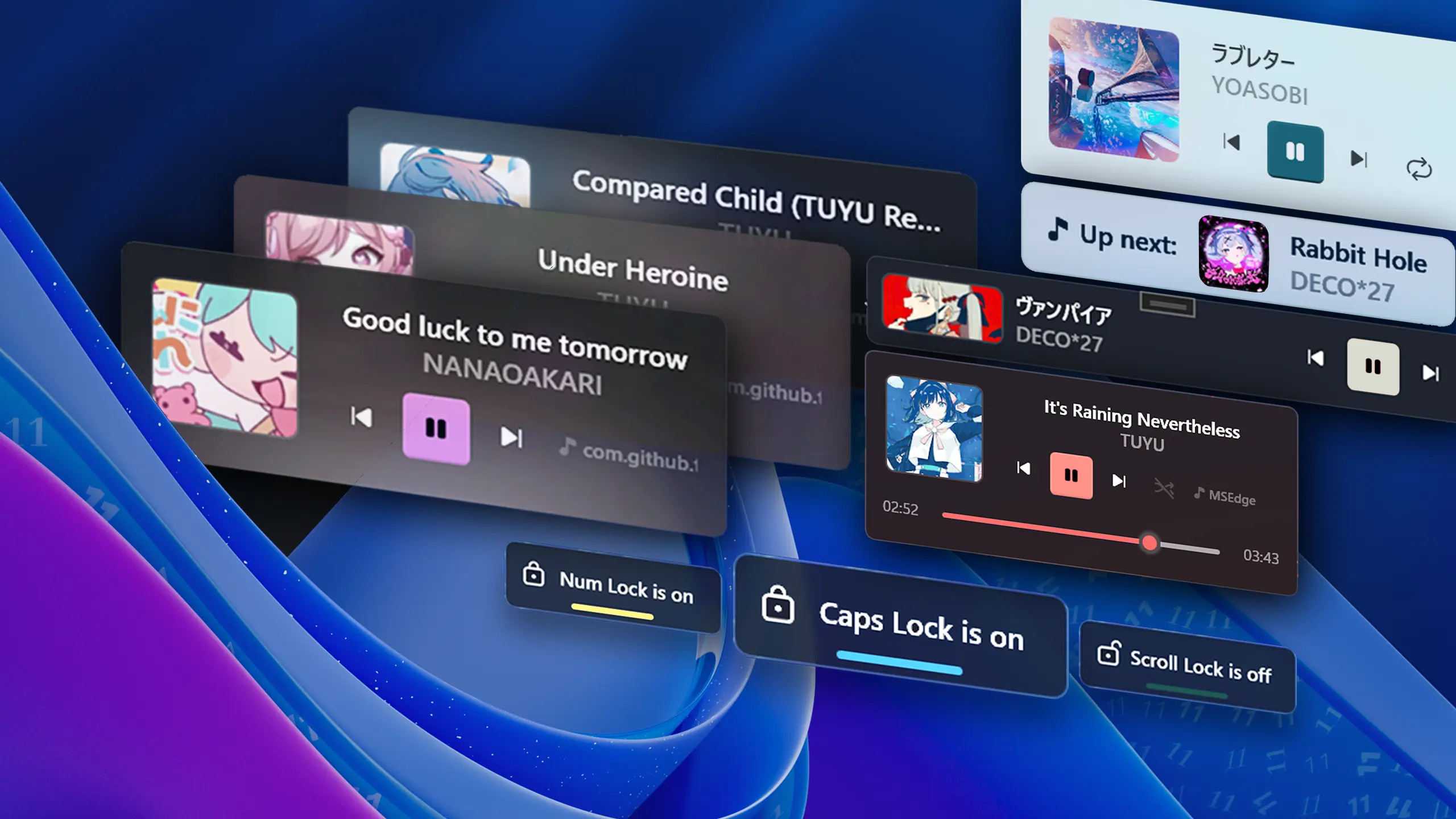
FluentFlyout Background

Changelog

The latest updates and changes to FluentFlyout

Minor Update

Update v1.2.3 - New customization settings and bug fixes

@unchihugo here, I appreciate everyone's support a lot! I'm still working on more flyouts (capslock, numlock, etc.) and the option to disable volume key triggers, as some of you suggested. Here's what's new so far:

📝 Changelog

  • 🐛 Improve flyout focus & topmost behavior to prevent stealing focus in PR https://github.com/unchihugo/FluentFlyout/pull/7, fixing cases of bug #5 happening (thanks @Nex457)
  • Added two new settings:
    • Alter tray icon left click behavior: choose between opening settings (default) and showing main flyout, if you would like to use the tray icon as a more integrated flyout button in the taskbar (suggestion by u/moccatune)
    • Choose between left or center title & artist alignment. Definitely try this out, it feels very clean! (suggestion by @AsvnDG)
  • Updated settings UI and text
  • Made Mica effect more reliable
  • Other bug fixes
  • Codebase related stuff:
    • Added comments in a lot of areas
    • Created WindowHelper.cs class to have things a bit more organized
  • Full Changelog: https://github.com/unchihugo/FluentFlyout/compare/v1.2.2...v1.2.3
  • tested on Windows 11, common use cases

📦 If you've installed the Microsoft Store version, you can update FluentFlyout using the .msixbundle installer as they're interchangeably compatible. It might take a few more days for the update to appear on MS Store.
➡️ .msixbundle tutorial

Please try out these new features and let me know if you encounter any issues! 💖

Minor Update

Update v1.2.2 - Added "Up Next" flyout and more customization!

FluentFlyoutDemo4

Changelog

  • Added "Up Next" flyout (experimental) that displays what's playing next after each song/video
  • Added images to each section in settings, making it easier to identify which flyout it belongs to
  • Made input boxes smoother and added validation
  • Added option to disable media player info
  • Updated settings and flyout UI and settings text
  • Other bug fixes
  • Full Changelog: https://github.com/unchihugo/FluentFlyout/compare/v1.1.0...v1.2.2
Major Update

Update v1.1.0 - v1.1.0

Public Release Version

Gradually rolling out to Microsoft Store

Changelog

  • Added Repeat One and Repeat All
  • Added Shuffle
  • Made flyout animation speed adjustable
  • Improved settings UI and added scroll
  • Improved Windows 10 compatibility
  • Improved code maintainability
  • Fixed bug where multiple Settings windows could be opened
  • Fixed play/pause visual bug
  • Other bug fixes
  • Full Changelog: https://github.com/unchihugo/FluentFlyout/compare/v1.0.5-alpha...v1.1.0
Minor Update

Update v1.0.5-alpha - alpha

Closed Alpha Release 3

Ironing out/final stages of the project to get it ready to be submitted for certification to Microsoft Store and public launch

Changelog

  • Removed WinForms dependencies, resulting in a package size decrease (~30MB space saved) to ~170MB, once ready
  • Improved Tray UI and functionality
  • Updated flyout and settings UI
  • Fully implemented Light mode
  • Added flyout duration setting
  • Added more flyout positions (top left, top center, top right)
  • Fixed launch on startup option
  • Bug fixes
  • Full Changelog: https://github.com/unchihugo/FluentFlyout/compare/v1.0.2-alpha...v1.0.5-alpha