FluentFlyout Background
FluentFlyout Banner

The modern, open source Flyout app for Windows 11.

Built with Fluent 2 Design principles.

GitHub Release Static Badge Translation status GitHub contributors

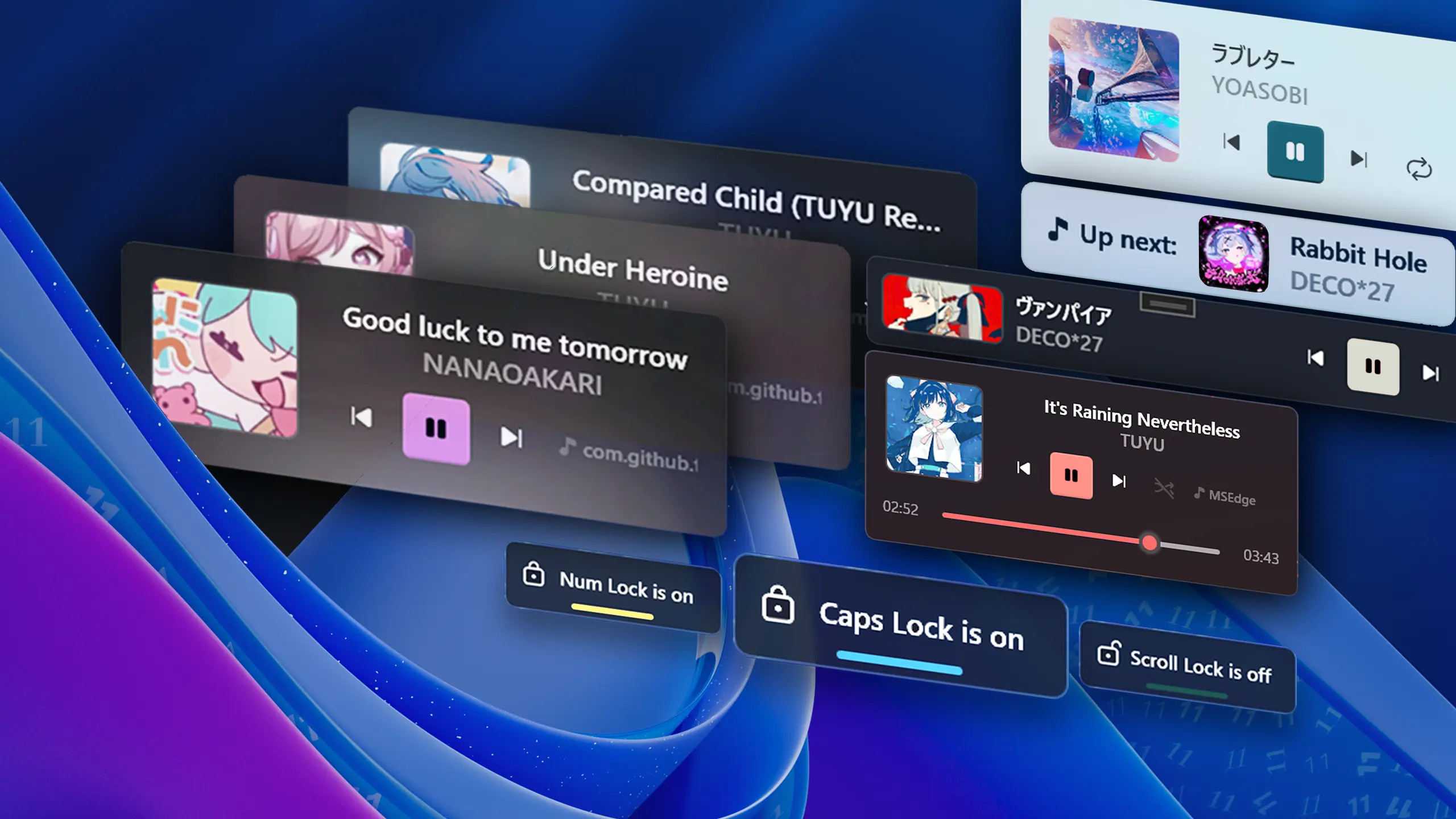
Full Media Control

Pop out media controls when you adjust your volume, play/pause or forward. Includes Repeat All, Repeat One, Shuffle, and a seek slider if your media player supports it.

Media Controls Screenshot

"Up Next" and Lock Keys

Handy flyouts show what's next when a song ends or display the status of your lock keys at a glance when you press the corresponding key.

Up Next Screenshot Lock Keys Screenshot

Taskbar Media Widget

A compact, built-in widget that lives right on your Windows Taskbar for instant access to your media. Expand the full media flyout by clicking the widget.

Deeply Customizable

Choose from multiple layout styles and positions, change themes, Mica or Acrylic backdrop; personalize and tweak settings to make FluentFlyout truly yours.

Customization Screenshot 2 Customization Screenshot 3

Featured in:

Windows Central Neowin
🎨

Native Windows Design

Seamlessly blends with Windows 11 using Fluent 2 components and Mica blur.

🌓

Light & Dark Mode

Automatically matches your system theme and color preferences.

Smooth Animations

Enjoy fluid transitions and animations that feel native to Windows.

📍

Flexible Positioning

Choose where the flyout appears on your screen to suit your workflow.

🎧

Media & Volume

Listens to both volume and media inputs for comprehensive control.

🪶

Lightweight

Sits unobtrusively in your system tray without impacting performance.

Available in Multiple Languages

FluentFlyout is continuously being translated into other languages thanks to our amazing community on Weblate.

Translation Status

🌱

Open Source Software

FluentFlyout is free and open source on GitHub. The Microsoft Store version includes a one-time purchase option for additional features.

Get FluentFlyout

Download from the Microsoft Store for automatic updates and the best experience. Alternatively, you can download the latest release from GitHub.

FluentFlyout includes the following flyouts:

Media Control Flyout (Media info, controls, etc.)
"Up Next" Flyout (Shows what's playing next)
Lock Keys Flyout (Caps Lock, Num Lock, etc.)
Taskbar Media Widget (Compact media widget directly in the taskbar)

You can enable or disable each flyout individually in the app's settings. More flyouts may be added in future updates!

FluentFlyout works with any media player that supports Windows' System Media Transport Controls (SMTC). This includes most popular players like:

Spotify (full support)
Windows Media Player (full support)
Chromium browsers & Firefox (lacks shuffle/repeat support)
Apple Music (lacks shuffle/repeat support)
VLC Media Player (may require plugins)
• And many more!

FluentFlyout is designed to be lightweight and runs quietly in the background. You should expect around 50MB - 200MB of RAM usage in normal scenarios. There should be negligible or basically 0% CPU usage while running in the background on modern computers. We always try our best to optimize as much as possible!

Still have questions?

Go to FAQ

Meet Our Contributors

A big thank you to all the amazing people who have contributed to FluentFlyout's development and success!

Contributors