
Technical Issues
This is a limitation of the media player you're using, not FluentFlyout. We use the media API provided by Windows (SMTC). If the developers of your media player haven't implemented this system, FluentFlyout cannot see the data.
Note: the native Windows 10/11 media flyout also wouldn't be able to see the song info.
(In basic terms: imagine a class of students submitting homework to a teacher. FluentFlyout is the teacher, and the media players are the students. If a student (the media player) doesn't hand in their homework, the teacher (FluentFlyout) cannot read it, even if the work was actually done.)
Make sure you don't have any other programs interfering or changing how the Windows 11 Taskbar functions: the Taskbar Widget injects itself directly into the native Windows Taskbar, so any tool that heavily modifies the taskbar code could break this injection.
There have been reports of it working with customized WindHawk taskbars, as these are often just visual modifications (not deep code changes).
Features & Functionality
Yes! FluentFlyout is deeply customizable. You can change:
• Layout styles and positions
• Themes (Light/Dark mode)
• Backdrop effects (Mica or Acrylic)
• Background blurs
• Animation speeds and behaviors
All customization options are available in the app's settings, accessible by right-clicking the tray icon or opening the app from the Start Menu.
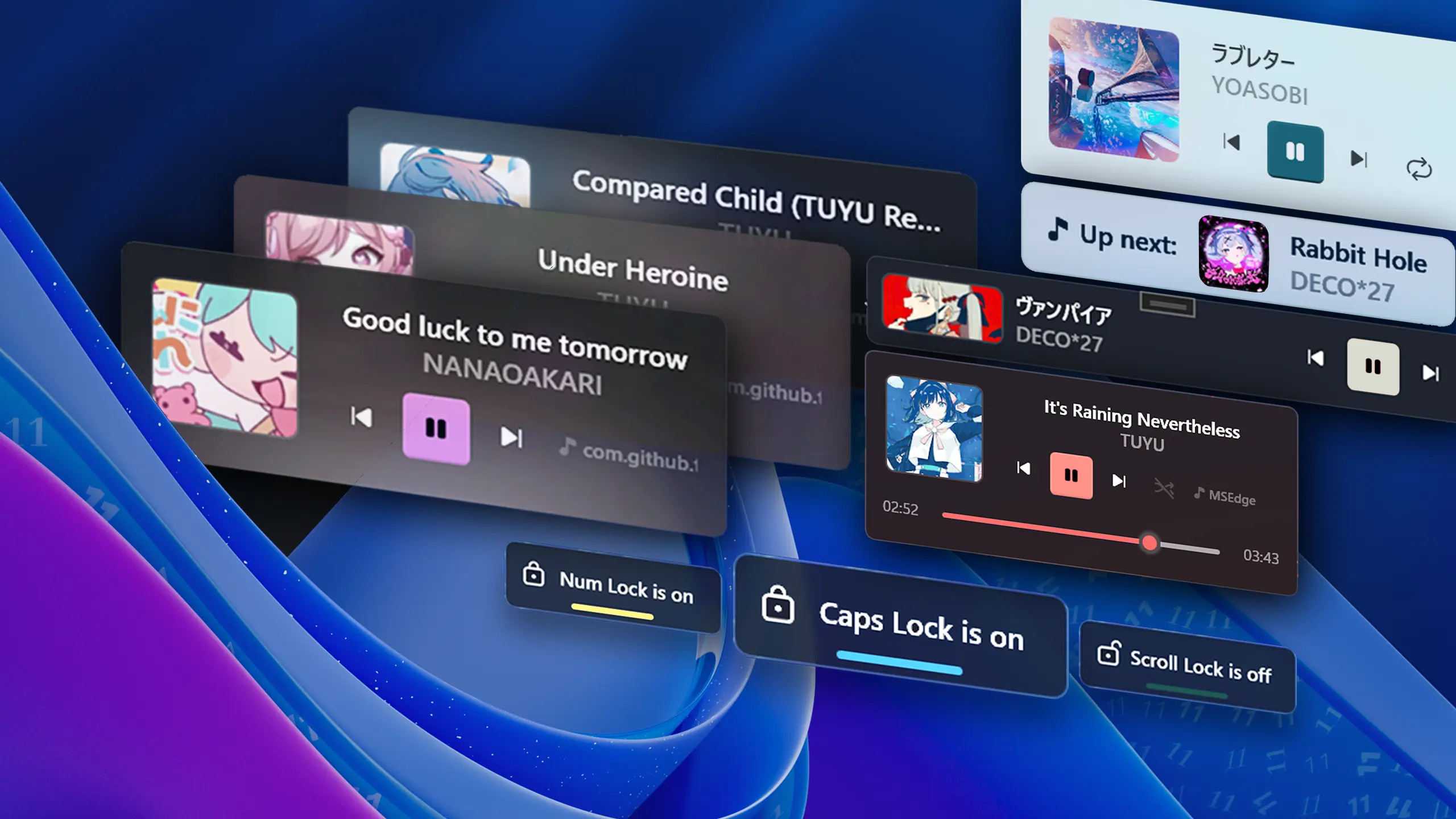
FluentFlyout includes the following flyouts:
• Media Control Flyout (Media info, controls, etc.)
• "Up Next" Flyout (Shows what's playing next)
• Lock Keys Flyout (Caps Lock, Num Lock, etc.)
• Taskbar Media Widget (Compact media widget directly
in the taskbar)
You can enable or disable each flyout individually in the app's settings. More flyouts may be added in future updates!
FluentFlyout works with any media player that supports Windows' System Media Transport Controls (SMTC). This includes most popular players like:
• Spotify (full support)
• Windows Media Player (full support)
• Chromium browsers & Firefox (lacks shuffle/repeat
support)
• Apple Music (lacks shuffle/repeat support)
• VLC Media Player (may require plugins)
• And many more!
Both versions share the same core functionality. The only differences are:
Microsoft Store: Provides automatic updates, easier installation, optional one-time purchase to unlock a few extra features.
GitHub: Completely free and open-source, manual updates required, and all features are unlocked.
Read more about the project's model in the Sustainability section on GitHub.
General Questions
We welcome contributions! You can help by:
• Contributing code on GitHub
• Translating the app on Weblate
• Reporting bugs and suggesting features
• Sharing FluentFlyout with others
• Supporting development through the Microsoft Store
Read more about contributing in the Contributing Guide on GitHub.
FluentFlyout is designed to be lightweight and runs quietly in the background. You should expect around 50MB - 200MB of RAM usage in normal scenarios. There should be negligible or basically 0% CPU usage while running in the background on modern computers. We always try our best to optimize as much as possible!